
Introduction: Why Whole-Home Surge Protection Matters
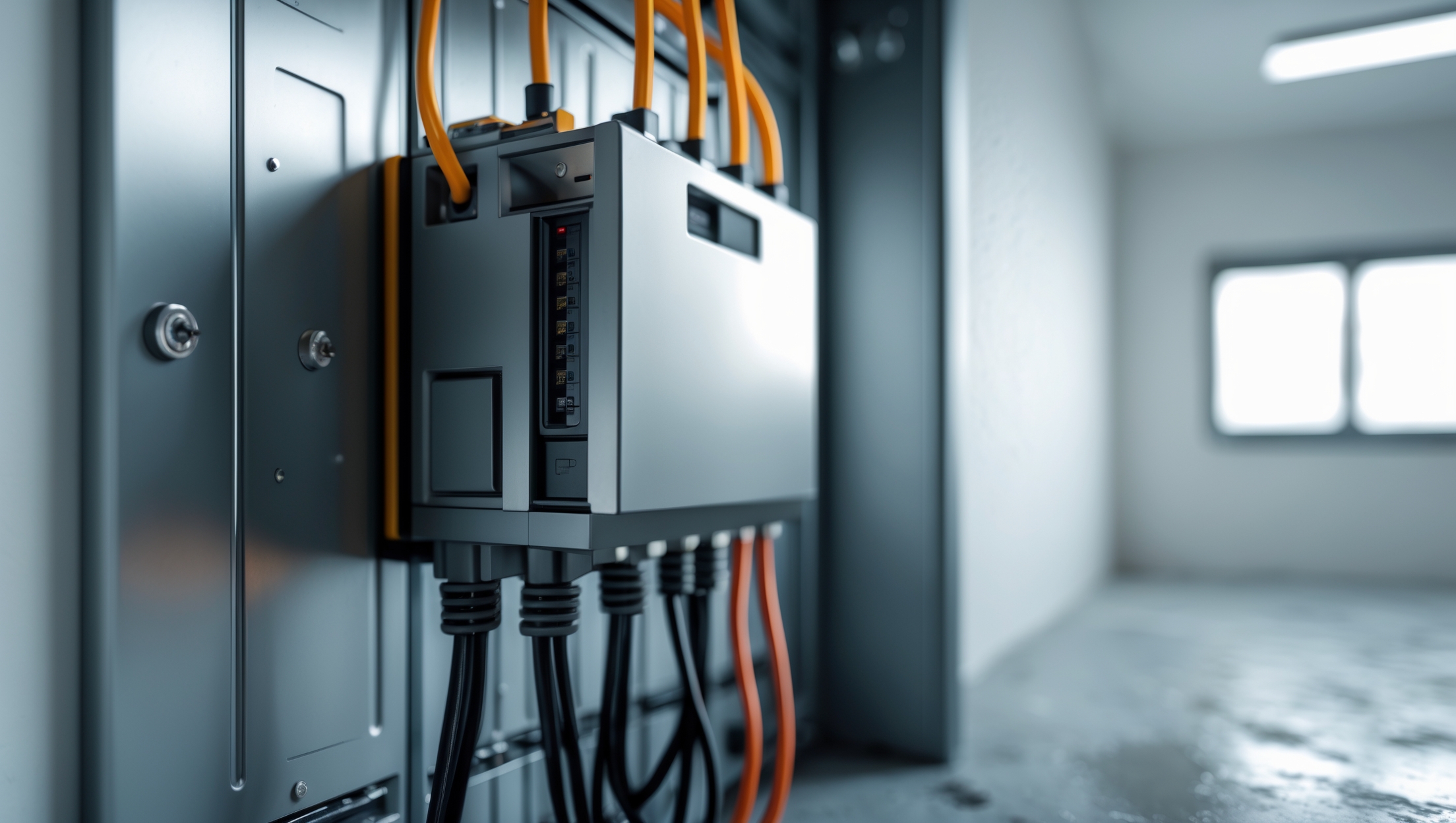
If you’re a homeowner who values the safety and longevity of your electronics, appliances, and home systems, whole-home surge protection should be high on your upgrade list. While most people are familiar with plug-in surge protectors, few realize that these devices only shield what’s directly connected to them. A whole-home surge protection device (SPD), installed at your main electrical panel, acts as a first line of defense against damaging voltage spikes caused by lightning strikes, utility grid fluctuations, or large appliances cycling on and off. Without this essential equipment, your expensive smart TVs, computers, refrigerators, and even HVAC systems are left vulnerable to the kind of catastrophic damage that can happen in a fraction of a second.
This guide will walk you through everything you need to know to confidently select, install, and maintain a whole-home SPD. From understanding the technical jargon and code requirements to step-by-step installation instructions and practical troubleshooting tips, you’ll learn how to tackle this crucial home upgrade yourself. Whether you’re an experienced DIYer or a careful beginner, this resource will help you avoid common mistakes, save on electrician fees, and enjoy true peace of mind every time the next thunderstorm rolls through.
How Whole-Home Surge Protectors Work
Understanding Electrical Surges
Electrical surges are sudden increases in voltage that travel through your home’s wiring. These spikes can originate externally (such as from a lightning strike or utility company switching) or internally (from high-power devices like air conditioners or refrigerators cycling on and off). Most household electronics are designed to handle the standard 120V, and even minor surges can degrade sensitive components over time. Severe surges can destroy appliances instantly.
What Does a Whole-Home SPD Do?
A whole-home surge protector is typically installed on your main electrical panel. It detects excess voltage and safely diverts it to ground before it can enter the branch circuits feeding your home’s outlets and hardwired devices. This protection covers everything from your wall outlets to large, permanently wired appliances like your oven and HVAC system.
- Type 1 SPDs: Installed between the utility pole and your main breaker panel. Ideal for new construction.
- Type 2 SPDs: The most common for residential retrofits, installed directly on or inside your main electrical panel.
- Type 3 SPDs: Point-of-use devices like power strips—useful as a secondary layer, but not a substitute for panel-mounted protection.
Choosing the Right Whole-Home Surge Protector
Key Features to Look For
- UL 1449 Listing: Always choose a device rated to the latest UL (Underwriters Laboratories) 1449 standard for safety and performance.
- Nominal Discharge Current (In): Indicates how much surge energy the device can handle. Look for devices with at least 10kA (kiloamps) per mode.
- Maximum Surge Current: Higher ratings (20kA to 80kA) offer greater protection, especially in areas with frequent lightning.
- Clamping Voltage: The lower, the better (typically 330V–400V). This is the voltage at which the SPD diverts excess energy.
- Status Indicators: LED lights or alarms that let you know if your SPD is still operational.
- Warranty: Many manufacturers offer equipment warranties if their device fails. Review the fine print for coverage limits and exclusions.
Recommended Models (2024)
- Siemens FS140 — High maximum surge rating, easy installation, comprehensive LED indicators.
- SQUARE D HEPD80 — Widely compatible, budget-friendly, strong warranty.
- Eaton CHSPT2ULTRA — Compact, robust, with versatile mounting options.
- Leviton 51120-1 — Good for tight spaces, offers premium diagnostics.
What You Need Before You Start
- SPD unit (Type 2, UL 1449 listed)
- Dedicated double-pole circuit breaker (consult your panel’s manufacturer and local code for amperage)
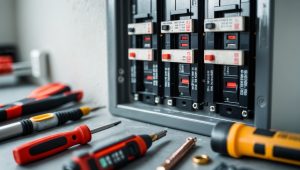
- Insulated screwdrivers and nut drivers
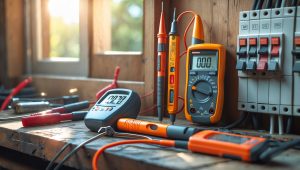
- Voltage tester or multimeter
- Wire stripper and cutter
- Drill and drill bits (if mounting to panel exterior)
- Personal protective equipment (PPE): safety glasses, insulated gloves
- Labeling materials (for breaker and panel)
Safety Checklist: Preparing for Installation
- Shut off the main breaker before working inside the panel.
- Test all circuits with a voltage tester—confirm zero voltage.
- Remove any jewelry and wear rubber-soled shoes.
- Work in dry conditions—never install an SPD in wet or damp environments.
- Read the SPD manufacturer’s instructions thoroughly. Some models require specific breaker placement or wire lengths for proper operation.
- If you are uncomfortable or unfamiliar with panel work, consult a licensed electrician.
Step-by-Step Installation Guide
1. Power Down and Open the Panel
Turn off the main breaker to disconnect power to the entire panel. Use a voltage tester on several circuits to confirm power is off. Remove the panel cover, keeping screws organized for reassembly.
2. Find a Suitable Mounting Location
Most Type 2 SPDs are surface-mounted on the outside of the panel or snap into a knockout hole. Choose a location as close as possible to the main breaker or bus bars to minimize wire length (typically less than 12 inches).
3. Install the Double-Pole Breaker
Install a dedicated double-pole circuit breaker according to your panel’s instructions. This breaker will feed the SPD. Label the breaker for future reference (e.g., “Surge Protection Device”).
4. Mount the SPD
Secure the SPD using the provided screws, locknuts, or mounting brackets. If external, run the SPD’s wires through a knockout hole into the panel. Use a grommet or bushing to prevent chafing.
5. Wire the SPD
- Connect the SPD’s black or red wires to the two terminals of the new double-pole breaker.
- Attach the white (neutral) wire to the neutral bus bar.
- Connect the green (ground) wire to the ground bus bar.
- Keep all wires as straight and short as possible—excess wire acts as an antenna for surges.
- Tighten all connections firmly, but do not overtighten (which can damage terminals).
6. Verify Connections and Close the Panel
Double-check every connection. Ensure there are no stray wires or loose terminals. Replace the panel cover, making sure no wires are pinched. Confirm the SPD is securely mounted and its status indicators are visible.
7. Restore Power and Test
Turn the main breaker back on. Switch on the new SPD breaker. If your SPD has LED indicators, confirm that they show normal operation (typically green). Some units have test buttons or require a multimeter check—refer to the manual.
Compliance and Permitting Considerations
In most jurisdictions, installing an SPD is considered a minor electrical upgrade, but always check local code requirements before starting. Some municipalities require a permit or inspection, especially if you are modifying the main panel. If you’re in a condo or HOA-regulated property, approval may be needed.
- Use only UL-listed devices and compatible breakers for your specific panel brand.
- Document your installation with photos and keep the manufacturer’s instructions for future reference or warranty claims.
Maintenance and Troubleshooting
Routine Checks
- Inspect the SPD’s status lights monthly. A dark or red indicator may signal the device has sacrificed itself during a major surge and needs replacing.
- Check for any loose wiring or signs of overheating (discoloration, melted insulation) annually.
- Test ground connections using a multimeter to ensure proper function.
When to Replace the SPD
- Immediately after a known major surge event or lightning strike.
- If the manufacturer’s indicator shows failure or the warranty period has expired.
- Every 5–10 years, or as recommended by the manufacturer, even if no issues are apparent.
Common Issues and Solutions
- SPD doesn’t power on: Check that the dedicated breaker is switched on and that wiring is correct.
- Indicator shows failure: Replace the SPD immediately to maintain protection.
- Nuisance tripping: Ensure you have the correct breaker size and that wires are not reversed.
Complementary Protection: Layering Strategies
While a whole-home SPD offers robust protection, it works best as part of a layered approach. Use quality point-of-use surge protectors on sensitive electronics and always follow manufacturer guidelines for electrical installation and grounding. Consider installing SPDs on subpanels or at key appliances that are particularly vulnerable.
Cost Breakdown and Budgeting
- Whole-home SPD: $70–$350 depending on brand and surge rating.
- Double-pole breaker: $15–$50 (must match your panel brand and type).
- Basic tools and safety gear: $0–$50 (if not already owned).
- Permit/inspection fees: Varies ($0–$100+), may not be required for all areas.
- Electrician labor (if hiring): $150–$400 for basic install.
DIY installation can save you $200–$400, provided you are confident and follow all safety protocols. Never cut corners with electrical safety or code compliance.
Frequently Asked Questions
- Will a whole-home SPD protect against direct lightning strikes? — No. SPDs help mitigate surges from nearby strikes, but a direct hit can overwhelm any protection. Lightning rods and proper grounding reduce risks.
- Do I still need plug-in surge protectors? — Yes. Panel SPDs protect against large surges, but sensitive electronics benefit from localized protection.
- Can I install an SPD if my panel is full? — Many SPDs can be wired to existing breakers or installed with add-a-space kits. Always follow manufacturer instructions.
Conclusion: Peace of Mind for Every DIYer
Installing a whole-home surge protection device is one of the smartest investments you can make in your home’s safety and resilience. With the right equipment, careful planning, and a methodical approach, most handy homeowners can complete this upgrade in a single afternoon. Not only does it protect your expensive electronics and appliances from unexpected voltage spikes, but it also shields your home’s electrical infrastructure from gradual wear and tear caused by routine surges—saving you money and headaches for years to come.
Remember, electrical work demands respect. If at any point you feel unsure, don’t hesitate to consult a licensed electrician. But for those with the skills and confidence, this DIY project is a practical way to take control of your home’s protection. Keep your SPD’s documentation, periodically check its status, and pair it with point-of-use protectors for layered security. With these steps, you can weather any storm—literally and figuratively—knowing your home is guarded by one of the best defenses modern technology has to offer.
Ready to make your home surge-safe? Gather your tools, review the guide, and take this proactive step toward lasting peace of mind.
When installing a whole-home surge protector at the main panel, do I need to shut off the power at the utility meter, or is flipping the main breaker enough to safely work on the panel?
Flipping the main breaker generally disconnects power from all circuits in your home, making it safe for most panel work. However, the wiring between the utility meter and the main breaker will still be live, which can be dangerous if you’re accessing areas before the main breaker. For maximum safety, especially if you’re unfamiliar with electrical work, shutting off power at the utility meter is recommended. Always use proper safety precautions or consult a licensed electrician if unsure.
After installing the whole-home surge protection device, how can I test or confirm that it’s actually working as intended? Are there troubleshooting steps if I notice my electronics still getting damaged after a power event?
Once your whole-home surge protection device is installed, you can check its indicator light—most units have an LED that shows their status. A green light usually means it’s working, while red or no light can signal a problem. If your electronics are still getting damaged, double-check that the breaker is on and the device is properly connected. If issues persist, the device might be faulty or undersized for your needs, so consulting a licensed electrician is recommended for further troubleshooting.
For a beginner DIYer, how realistic is it to tackle the installation without professional help? Are there any common mistakes you see first-timers make during installation, especially when it comes to understanding code requirements or local permits?
Installing a whole-home surge protection device can be challenging for a beginner, mostly because it involves working inside your main electrical panel, which carries significant safety risks. Many first-timers underestimate the need to fully shut off power and may overlook local electrical codes or fail to obtain the right permits. If you’re not comfortable with wiring or don’t know your area’s requirements, it’s safest to consult a licensed electrician.
Can you clarify if installing a whole-home SPD needs any permits or inspections? I’m a DIYer, but I want to make sure I’m not skipping any required safety steps or local code requirements.
Installing a whole-home surge protection device often requires following local electrical codes, and in many areas, a permit and inspection are needed, especially since it involves work inside the main electrical panel. Check with your local building department or permitting office to confirm the specific requirements in your area before starting the installation. This ensures your work is both safe and compliant with local regulations.
You mention code requirements for installing a surge protection device, but how do I find out if my local building codes require a permit or inspection for this upgrade? Would I need to call my city, or is there a standard guideline for homeowners?
To find out if your local building codes require a permit or inspection for installing a surge protection device, it’s best to contact your city or county building department directly. Requirements can vary widely by location, and there is no universal guideline for homeowners. A quick call or visit to their website should clarify whether you need a permit or inspection before you start the upgrade.
When it comes to choosing a surge protection device, are there features or ratings I should prioritize if I have a lot of sensitive smart home devices? I want to make sure I’m protected against both big lightning strikes and those smaller, everyday surges.
For homes with lots of sensitive smart devices, prioritize a surge protector with a high surge current rating (look for at least 40,000 amps) and low let-through voltage (500 volts or less). UL 1449 certification is important for safety and performance. Consider devices that offer both Type 1 and Type 2 protection for coverage against strong external surges like lightning, as well as everyday internal surges from appliances cycling on and off.
You mention that code requirements are important for installing a surge protection device. How do I find out what’s legally required where I live, and is this something a typical homeowner can check themselves?
To find out the code requirements in your area, contact your local building department or electrical inspection office—they can tell you about regulations and any permits needed. While homeowners can often review local codes online, interpreting them can be tricky. If you’re unsure or the rules are unclear, consulting a licensed electrician is the safest way to ensure your installation meets all legal requirements.
Is there a big difference in effectiveness between the types of whole-home surge protectors you can install yourself and the ones a licensed electrician might offer? I’m hoping to save some money by doing it myself, but I want to make sure it will actually protect my appliances.
There can be a notable difference between DIY surge protectors and those installed by electricians. Electrician-installed units are often higher grade, offer better protection (measured in surge current capacity and UL certification), and may carry warranties that cover connected appliances. DIY models can still provide solid protection, but you’ll want to carefully check their ratings and certifications. If your home has expensive electronics or frequent power issues, a professional-grade device is usually the safer bet.
I get that a whole-home surge protector helps against big voltage spikes like lightning, but does it also help with those smaller, more frequent internal surges you mentioned from things like refrigerators turning on? Or would I still need those plug-in surge strips too?
A whole-home surge protector does provide protection against both large external surges and smaller, frequent internal surges caused by appliances cycling on and off. However, for sensitive electronics like computers or TVs, using plug-in surge strips in addition to your whole-home unit adds another layer of defense. This combination offers the best overall protection for all devices in your home.
You mention cost savings from doing this project DIY, but I’m wondering what the typical price range is for the surge protection device itself, and whether any additional tools or materials are usually needed beyond what’s included with the SPD.
The price of a whole-home surge protection device typically ranges from $60 to $150, depending on brand and features. Besides the device itself, you may need a screwdriver, wire stripper, voltage tester, and possibly some extra wire or circuit breakers, as these are not always included. Always double-check the SPD’s packaging to see what’s provided before starting the installation.
I’m trying to budget for this project and was wondering if you have advice on how to choose between different SPD models for a typical US home. Are there features or ratings I should prioritize to get the best protection for smart devices and major appliances?
When choosing a surge protection device for a typical US home, look for an SPD with a high surge current rating (at least 20kA or higher), a low clamping voltage (ideally 330V or 400V), and UL 1449 3rd or 4th Edition certification. Consider models with indicator lights for status, and if you have sensitive smart devices, ensure the SPD protects all modes (L-N, L-G, N-G). Whole-home coverage is best for both major appliances and electronics.
Can you explain how involved the installation process is for someone with basic DIY skills? I’m interested in trying this myself but a bit nervous about working near the main panel, especially when it comes to turning off the power and meeting code requirements.
Installing a whole-home surge protector does require working inside your main electrical panel, which can be risky if you’re not comfortable with electrical work. Basic DIY skills will help, but you’ll need to fully shut off power at the main breaker and carefully follow safety steps. Local electrical codes often apply, so it’s important to check those before starting. If you’re uneasy about any part of the process, it’s wise to consult or hire a licensed electrician.
Could you explain a bit more about the maintenance involved with a whole-home surge protection device? I’m wondering how often I need to check it or if there are signs it’s no longer working properly.
Whole-home surge protection devices generally require little maintenance, but it’s good practice to check them every few months. Look for indicator lights on the device; a green light usually means it’s working, while a red or no light may indicate it’s failed and needs replacement. If your device doesn’t have an indicator, consider testing or replacing it every few years, especially after a major power surge.
The article mentions that whole-home SPDs are installed at the main electrical panel. If I have a subpanel in a detached garage, do I need a second surge protector there too, or will the main panel device cover everything?
The main panel surge protector offers protection for circuits downstream from it, including those feeding your detached garage subpanel. However, long wire runs to detached buildings can let surges in through that distance, so adding a second surge protector at the subpanel is a good idea for extra protection, especially for sensitive electronics or valuable equipment in the garage.
You mentioned both external and internal surges, which got me wondering—do whole-home surge protectors handle repeated small surges from appliances as effectively as big hits, or would I still need plug-in protectors for my sensitive equipment?
Whole-home surge protectors are excellent at blocking large surges from outside sources, like lightning or grid issues. However, for repeated small surges generated by appliances inside your home, these devices may not always catch the very brief or low-level spikes. For sensitive electronics, it’s a good idea to use plug-in surge protectors as an extra layer of defense.
Is there a way to test whether my SPD is actually working after installation, or some kind of indicator I should watch for? I want to be sure I’ve installed it correctly and it’s still protecting my devices down the road.
Most whole-home surge protection devices (SPDs) include an indicator light, usually located on the device itself. A green light generally means the SPD is functioning properly, while a red or unlit indicator suggests it needs replacement. Always check your SPD’s manual for the exact meaning of the indicator. There’s no practical DIY test for performance, so regular visual checks of the status light are recommended.
If I follow your steps to install the SPD myself, what would be the average time commitment for someone new to electrical work, and are there any critical mistakes that beginners need to watch out for during the process?
If you’re new to electrical work, installing a whole-home surge protection device will likely take around 2 to 4 hours, allowing extra time for careful reading and double-checking each step. Be especially cautious to turn off the main power before opening your panel, use insulated tools, and confirm proper wiring connections. Avoid working when unsure—consult a licensed electrician if you’re uncertain at any point for your safety.
The article mentions that whole-home surge protection helps with voltage spikes from both inside and outside the house. Are there certain brands or models of SPDs that are better at handling lightning versus surges caused by large appliances turning on and off?
Yes, some surge protection devices (SPDs) are designed with enhanced features for specific types of surges. For lightning-related surges, look for SPDs with a high surge current rating (often 50,000 amps or more) and UL 1449 certification. For surges from appliances, most residential SPDs will handle these well, but models with faster response times and lower clamping voltages offer better protection. Comparing specs like surge current capacity and clamping voltage can help you choose the best model for your needs.
I’m comfortable with DIY projects, but are there any particular mistakes or pitfalls you see beginners make when installing a whole-home SPD? For example, are there any common code violations or safety steps people tend to overlook?
A few common mistakes include not shutting off all power at the main breaker before starting, which is a major safety hazard. Beginners sometimes use wires that are too long, which reduces the SPD’s effectiveness. Another pitfall is failing to connect the SPD as close to the neutral and ground bars as possible, as code requires. Also, always make sure the SPD is properly bonded and the panel’s neutral/ground bonding matches local code.
What kind of regular maintenance should I expect after installing a whole-home SPD? The article mentions maintenance, but I’m curious if this is something a homeowner can stay on top of or if it’s better to call an electrician periodically.
After installing a whole-home surge protection device, regular maintenance mainly involves checking the device’s indicator lights every few months to ensure it’s still functioning. Most SPDs have a visible light or display that signals if protection is active. This is something most homeowners can handle. However, if the indicator suggests a problem or if you’re ever unsure, it’s wise to contact a licensed electrician for a professional inspection.
Since you said the guide helps avoid common mistakes when installing a whole-home SPD, what’s the most common issue beginners face during the installation, and is it something that could cause damage if done incorrectly?
One of the most common issues beginners face when installing a whole-home surge protection device is connecting the wires incorrectly, such as mixing up ground, neutral, and hot wires. This mistake can lead to the SPD failing to protect your home or even create electrical hazards. Double-checking wiring connections and turning off power at the main breaker before starting are essential for safety and proper function.
How do whole-home surge protectors handle internal surges from appliances like air conditioners cycling on and off? Does the device offer ongoing protection for those smaller but frequent surges, or is it mostly just for big external events like lightning?
Whole-home surge protectors are designed to defend your electrical system from both large external surges, like lightning strikes, and many of the smaller, more common internal surges caused by appliances cycling on and off. While they’re especially effective for big surges, they do help dampen those frequent voltage spikes from things like air conditioners or refrigerators, offering ongoing protection for your home’s sensitive electronics.
I noticed you mention that surge protectors only guard what’s plugged directly into them, but a whole-home SPD covers everything in the house. How much protection does it actually offer against really intense lightning strikes, and are there still situations where plug-in protectors are recommended along with the main device?
A whole-home surge protection device (SPD) offers strong protection for your entire home’s wiring by blocking most surges from entering at the main panel. However, extremely intense lightning strikes can sometimes surpass the SPD’s capabilities. For sensitive electronics, using plug-in surge protectors in addition to the whole-home SPD is still a good idea. This layered approach adds extra security against powerful or localized surges.
I noticed you mention that even small surges can slowly damage appliances over time. How often should a homeowner check or replace their whole-home SPD to make sure it’s still offering proper protection?
Whole-home surge protection devices (SPDs) generally last between 5 to 10 years, but it’s smart to check them annually. Many models have indicator lights—if the light goes out or changes color, that usually means the protection is no longer active and the SPD should be replaced. After any major power surge or lightning strike, it’s also a good idea to inspect the device or consult an electrician.
I noticed you suggest that DIY installation can save on electrician fees. Realistically, how many hours should I expect to spend on this project if I’m fairly handy but not an expert? Also, are there any common mistakes that could end up costing more in the long run?
If you’re fairly handy, you can expect the installation to take about 2 to 4 hours, depending on your comfort level and your home’s electrical panel setup. Common mistakes to avoid include not shutting off the main power, improper grounding, or using the wrong size breakers. These errors can lead to safety hazards or even damage your electrical system, so it’s important to double-check instructions and follow safety precautions closely.
I noticed the guide mentions saving on electrician fees, but how difficult is it really for a beginner to install one of these devices? Are there any safety risks or code requirements a non-professional might overlook?
Installing a whole-home surge protection device does involve working with your main electrical panel, which can be risky if you’re not experienced. Beginners may find it challenging, as it requires shutting off the main power, identifying correct breakers, and making proper connections. Safety risks include electrical shock or incorrect installation, which could cause fire hazards. Local electrical codes may also require permits or inspections. If you’re not confident or familiar with electrical work, it’s usually safer and sometimes required to hire a licensed electrician.
The article states that surges from large appliances cycling on and off can be a risk, in addition to external factors like lightning. How can I tell if my home is more at risk for internal surges, and are there particular types of SPDs better suited for this?
If your home has several large appliances (like air conditioners, refrigerators, or pumps) that cycle on and off frequently, you may be at higher risk for internal surges. Flickering lights or occasional tripping of breakers can also be indicators. For internal surges, look for Type 2 SPDs, which are installed at the main service panel and are designed to handle both external and internal power surges.
Is there a significant difference in protection or lifespan between whole-home surge protectors installed inside the panel versus those mounted externally? I want to make sure I pick the right type for my house and budget.
Both internally and externally mounted whole-home surge protectors offer similar protection levels if they meet the same safety standards and ratings. The main differences are installation logistics and weather exposure—external units must be weatherproof. Lifespan is generally comparable, but outdoor models may require more frequent inspection due to environmental factors. Choosing the right type depends on your panel setup and where you can safely mount the device.
If I follow the step-by-step installation guide and still experience occasional surges or flickering lights afterward, what troubleshooting steps would you recommend to check if the SPD is working correctly or if something else might be wrong?
If you’re still noticing surges or flickering lights after installing the surge protection device, first check the SPD’s indicator light—most models have one that shows if they’re operational. Make sure all connections are tight and secure at your main panel. If the SPD appears to be working, flickering lights could be due to loose wiring, overloaded circuits, or utility issues. Consider having a licensed electrician inspect your panel and wiring to rule out other causes.
Do you have any recommendations on what to look for when selecting a whole-home surge protection device for an older house with outdated wiring? I’m interested in tackling this upgrade myself but want to avoid running into compatibility problems.
When choosing a surge protection device for an older house with outdated wiring, look for models that work with your home’s current service panel amperage (often 100 or 150 amp for older homes). Make sure the device is UL 1449-certified, has clear installation instructions, and comes with flexible wiring options. Some models are specifically designed for panels with limited space or unique layouts, which can help if your wiring isn’t standard. If you’re unsure, take a photo of your panel and compare it to product specs before buying.
Is there a big performance or reliability difference between the various types of whole-home surge protection devices available, or is it mostly a matter of brand and price? I’m trying to choose the right one for a mid-sized home.
There are some key differences in performance and reliability among whole-home surge protection devices. The most important factors to look at are the surge current rating (measured in kA), response time, and UL certification. Higher ratings generally mean better protection and longer lifespan. Brand and price can reflect build quality and warranty, but always check the technical specs first. For a mid-sized home, a device rated for at least 30kA with UL 1449 listing is a solid choice.
I noticed you mention saving on electrician fees by doing the installation yourself. Are there specific code requirements or permits I should be aware of before attempting this upgrade in a commercial space, or does it mainly apply to residential homes?
The article focuses on residential installations, where requirements are often less strict. For commercial spaces, the rules are usually more stringent—local electrical codes may require licensed electrician work and official permits. It’s important to check with your city or county’s permitting office and confirm if a licensed professional is needed for installation in commercial properties before starting the project.
I’m planning to do this upgrade myself to avoid electrician costs, but I’m wondering how long the installation typically takes for a first-timer. Is this something I could reasonably handle in a single afternoon, or should I set aside a whole weekend in case I run into trouble?
For someone doing this for the first time, installation of a whole-home surge protection device usually takes about 2 to 4 hours, assuming you have all the necessary tools and materials on hand. That said, it’s wise to give yourself the entire afternoon so you can work carefully and handle any unexpected complications. If your home’s electrical panel is older or you encounter tricky wiring, you might need more time, so keeping your weekend flexible is a good idea.
When installing an SPD at the main panel, do I need to shut off power to the entire house, or is it possible to isolate just the panel safely? I’m comfortable with other wiring projects, just want to be sure about safety steps for this one.
For maximum safety, it’s best to shut off power to the entire house at the main breaker before installing a surge protection device at the main panel. Even if you’re experienced, some parts of the panel will remain energized if you only turn off individual breakers. Always verify with a voltage tester before working, and if in doubt, consult with a licensed electrician.
Is it necessary to shut off the main power to the whole house before installing a whole-home surge protection device at the electrical panel, or is turning off just the breaker enough for safety? I just want to be sure I do this the safest way possible as a beginner.
For maximum safety, you should shut off the main power to the entire house before installing a whole-home surge protection device at the electrical panel. Turning off just the breaker feeding the panel isn’t enough, since the panel still has live connections coming in from the utility. Always use a voltage tester to confirm there is no power before working, or consider hiring a licensed electrician if you’re unsure.
I noticed you mentioned that plug-in surge protectors only cover items directly plugged into them, while a whole-home device offers broader protection. Are there any scenarios where I would still need individual plug-in protectors after installing a whole-home SPD, or is that overkill?
Using individual plug-in surge protectors after installing a whole-home surge protection device can still be beneficial. Whole-home SPDs handle large surges, but smaller surges or electrical noise may still get through to sensitive electronics. Plug-in protectors add an extra layer of defense, especially for expensive devices like computers or home theater systems. So, it’s not overkill—it’s added precaution for your most valuable electronics.
I understand that whole-home SPDs protect against surges from both outside and inside the home, but do they also help if there’s a direct lightning strike to the house, or would extra precautions need to be taken for that scenario?
Whole-home surge protection devices do a good job at handling most power surges, including many caused by lightning strikes nearby. However, a direct lightning strike to your house is extremely powerful and can exceed what standard SPDs are designed to handle. For that scenario, additional lightning protection measures, such as a professionally installed lightning rod system, are recommended to provide the best protection.
After installing a whole-home surge protector, do I need to replace or upgrade my point-of-use plug-in surge strips, or will those be redundant? I’m curious how the two layers of protection work together.
A whole-home surge protector is great for stopping large surges at your electrical panel, but it doesn’t catch every small spike from inside the house or near an outlet. Point-of-use surge strips still add valuable extra protection for sensitive devices. You don’t have to replace them if they’re in good shape, but using both layers together gives your electronics the best shield against both major and minor surges.
The article mentions code requirements for SPDs. Are there specific brands or ratings I should look for to make sure I’m staying compliant with US electrical codes, or can I pick any model labeled as a surge protector?
Not all surge protectors are created equal. To comply with US electrical codes, look for a whole-home SPD that is UL 1449 listed, as this is the recognized safety standard. The surge protector should also match your panel’s voltage and have the right surge current capacity for your home. Popular compliant brands include Siemens, Square D, Eaton, and Leviton. Always confirm that your chosen model meets these requirements.
Could you share any tips for choosing the right SPD when working with an older home? My electrical panel is original from the 1980s, and I’m wondering if there are compatibility issues or extra code requirements I should keep in mind.
When choosing an SPD for an older home, first check your panel’s available space and amperage rating to ensure compatibility. Some older panels might not have enough room for modern SPDs, or may lack a proper neutral or ground connection. Consult your local electrical code, as updates may require a separate disconnect or specific installation methods. It’s a good idea to have a licensed electrician inspect your panel before you buy, just to confirm there are no hidden issues.
You mention that the guide includes maintenance tips for the surge protector. Can you elaborate on what kind of regular checks or tests a homeowner should perform to ensure the SPD remains effective, and how often those should be done?
Homeowners should visually inspect the surge protection device (SPD) every few months to check for any warning lights, indicators, or visible damage. Most SPDs have an LED or indicator that shows if the unit is still providing protection—if that light goes out or turns red, the device may need replacement. Additionally, it’s a good idea to check the SPD after major storms or power surges, as a significant surge can sometimes render it ineffective. No advanced testing tools are needed; just regular visual inspections and monitoring of indicator lights are sufficient.
I’m interested in doing this upgrade myself to save on electrician fees, but I’m a bit concerned about the difficulty level. About how long does the installation usually take for someone with decent DIY experience, and what are the most common mistakes to watch out for?
For someone with solid DIY skills and familiarity with electrical panels, installing a whole-home surge protector can typically take 1 to 2 hours. The most common mistakes are not fully shutting off the main power, misidentifying the circuit breaker slots, and not properly grounding the device. Double-check all connections, follow manufacturer instructions closely, and if you’re unsure at any step, consider consulting an electrician for safety.
I noticed you mention that whole-home surge protectors are installed at the main electrical panel. Are there certain types or brands that work better with older electrical panels, or should I be looking out for specific compatibility issues before starting the install?
When working with older electrical panels, it’s important to choose a surge protector that matches your panel’s amperage rating and available space. Some brands offer models designed specifically for older or retrofit panels. Check if your panel is listed as compatible in the surge protector’s documentation, and if it lacks a dedicated breaker slot, you may need a model with flexible mounting options. Consulting an electrician can help ensure proper fit and safety.
If my house already has a lot of plug-in surge protectors for things like TVs and computers, do I still need to install a whole-home surge protector at the main panel, or would that be overkill? Is there such a thing as too much surge protection?
Using plug-in surge protectors is great for safeguarding individual devices, but a whole-home surge protector adds a layer of protection at the main panel, stopping large surges (like lightning strikes) before they reach outlets. It isn’t overkill—the two types work together to offer more complete protection. There’s no real downside to having both, and it can help protect appliances and systems that aren’t plugged into surge strips.
When installing a whole-home surge protector myself, what are the most common mistakes beginners tend to make, especially regarding code requirements or safety precautions that aren’t obvious at first glance?
Some common mistakes beginners make include not shutting off all main power before starting work, which is critical for safety, and failing to use the right gauge wire as required by code. People also sometimes skip proper grounding or use incorrect breaker types for their panel. Another error is not mounting the surge protector close enough to the panel, which can reduce its effectiveness. Double-check local codes and instructions to avoid missed steps.
Could you clarify what kind of maintenance is required once the whole-home SPD is installed? Are there indicators that will tell me when it needs to be replaced, or is this something an electrician needs to check regularly?
Once your whole-home surge protection device (SPD) is installed, maintenance is generally minimal. Most modern SPDs have indicator lights on the unit—typically a green light means it’s working, while a red or no light signals it needs replacement. It’s a good idea to check these lights periodically. You don’t always need an electrician for this check, but if the indicator suggests replacement or if you’re unsure, having an electrician inspect it annually is wise.
You mention saving on electrician fees by installing the SPD yourself. For someone with basic DIY skills, about how long does the typical installation take, and what are the major risks to watch out for during the process?
For someone with basic DIY skills, installing a whole-home surge protection device usually takes about 1 to 2 hours. The biggest risks are working near high voltage, which can cause electric shock or serious injury, and incorrectly wiring the device. Always shut off the main power before starting, double-check wiring connections, and if you feel unsure at any step, it’s safest to call a licensed electrician.
I see the article mentions saving on electrician fees by installing a whole-home SPD yourself, but how do I know if my local electrical codes allow homeowners to do this kind of work, or if I really need to hire a licensed electrician?
To find out if you can install a surge protection device yourself, check with your local building department or permit office. Many areas have specific rules about electrical work, and some require a licensed electrician for panel installations. You can also look up your city or county’s building codes online. If you’re unsure or the regulations are unclear, it’s safest to consult a professional electrician first.
The article mentions that whole-home surge protectors act as a first line of defense against voltage spikes from things like lightning strikes or utility grid fluctuations. If I already use individual plug-in surge protectors for my electronics, is there any risk of overlap or interference if I install the main SPD as well?
Using both a whole-home surge protection device (SPD) and individual plug-in surge protectors is actually a good practice, not a risk for overlap or interference. The main SPD protects your entire electrical system from large surges at the panel, while plug-in protectors add another layer of defense for sensitive electronics. They work together to provide more comprehensive protection, with no negative interaction between them.
Do all whole-home surge protectors handle both external surges like lightning and internal ones from large appliances equally well, or are some models better for certain types of surges? I want to make sure I’m picking the right device for my situation.
Not all whole-home surge protectors handle external and internal surges equally well. Some models are specifically designed to offer stronger protection against high-energy external surges like lightning, while others focus more on filtering out smaller, frequent surges from household appliances. When choosing a device, check its surge capacity rating (measured in kA) and see if it lists features like noise filtering or specific protection modes. It’s best to match the protector to the main risks in your area and your home’s appliance needs.
If a lightning strike or big power surge happens, does the whole-home SPD protect everything plugged in, or would I still need plug-in surge protectors for sensitive equipment like point-of-sale systems in my home office?
A whole-home surge protection device offers broad protection against large surges, such as those from lightning or utility spikes, by blocking or diverting excess voltage at your main electrical panel. However, it’s still a good idea to use plug-in surge protectors for sensitive electronics like point-of-sale systems. These add another layer of defense against smaller, everyday surges that might get past the main device.
The guide mentions that voltage spikes can come from both external sources like lightning and internal sources like large appliances. Are certain types or brands of whole-home surge protectors better at handling internal surges, or do they all basically provide the same level of protection?
Whole-home surge protectors generally protect against both external and internal surges, but some models are rated to handle higher surge currents or offer features like lower clamping voltage, which can be more effective against frequent internal surges from appliances. Look for devices with UL 1449 certification and compare their surge current ratings and response times. Some brands also offer models with additional filtering or diagnostic features that may be beneficial for homes with many large appliances.
You mentioned that whole-home SPDs are installed at the main panel and can handle surges from things like thunderstorms or appliances cycling on and off. Are there specific code requirements or safety certifications I should look for when choosing a device for an older home?
When choosing a whole-home surge protection device, look for ones that are UL 1449 listed, as this certification is required by the National Electrical Code (NEC) for SPDs. The NEC also typically requires SPDs to be installed at the main service panel. For older homes, make sure the SPD matches your panel’s voltage rating and consult your local codes or a licensed electrician to ensure compliance.
I’m curious about the cost involved in this kind of project. Besides the surge protection device itself, should I budget for additional materials or professional help if I’m not totally comfortable working in the main electrical panel?
The main costs are the surge protection device itself, which typically ranges from $50 to $300, depending on its features. In addition, you may need materials like a double-pole circuit breaker, wire, and mounting hardware, usually totaling $20 to $50. If you’re not comfortable working in your main panel, hiring a licensed electrician is recommended and can cost between $150 and $400 for installation. Budget for both materials and professional labor if you opt for expert help.