

Introduction: The Real Difference-Makers in Cordless Drills
Choosing a cordless drill for home use seems straightforward—until you’re faced with a dizzying array of models, features, and marketing jargon. Whether you’re assembling furniture, mounting shelves, or tackling more ambitious repairs, the right cordless drill can make the difference between a smooth, satisfying project and a frustrating ordeal. But which features truly matter for DIYers, and which are just flashy extras? In this in-depth guide, we’ll cut through the noise to reveal the practical considerations that should drive your purchase. We’ll explore the core features that impact performance, durability, and ease of use—backed by expert insight and hands-on comparisons. No fluff, just the facts and advice you need to make a smart, long-lasting investment in your toolkit.
Understanding the Basics: Cordless Drill Anatomy
Key Components Every DIYer Should Know
- Chuck: The part that holds the drill bit. Chucks typically come in 3/8″ or 1/2″ sizes for home use.
- Motor: Powers the drill and affects torque and speed. Brushed and brushless motors offer different benefits.
- Clutch: Controls torque and prevents overtightening or stripping screws.
- Gearbox: Allows you to switch between speed settings for different tasks.
- Battery: The power source—measured in voltage (V) and amp-hours (Ah).
- Trigger and Direction Switch: Controls speed and rotation direction.
Understanding these parts helps you evaluate which features will have a real impact on your DIY needs.
Voltage and Power: How Much Do You Really Need?
The Myth of “More Power is Always Better”
Drills are commonly available in 12V, 18V/20V, and even 24V variants. While higher voltage means more power, for most home projects, an 18V or 20V drill offers an optimal balance of strength and weight. 12V drills are lighter and ideal for light-duty tasks, but may struggle with dense materials or larger holes.
- 12V: Lightweight, great for assembling furniture, hanging pictures, and light repairs.
- 18V/20V: Versatile for drilling into wood, drywall, masonry, and light metal. Handles most home needs.
- 24V and above: Overkill for most DIYers; best suited for heavy construction or professional use.
Don’t be lured by high voltage alone—consider your typical tasks and the drill’s overall ergonomics.
Battery Technology: Runtime, Charging, and Compatibility
What to Look For
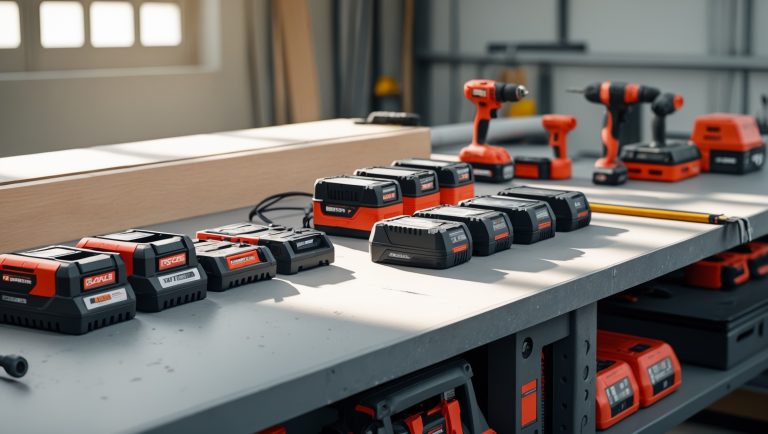
The battery influences how long your drill operates and how quickly you’re back in action after a recharge. Most modern cordless drills use lithium-ion (Li-ion) batteries, which are lighter, have no memory effect, and deliver consistent power until depleted. Older nickel-cadmium (NiCd) batteries should be avoided due to shorter life and increased weight.
- Ah (Amp-hours): Higher Ah means more runtime. 1.5–2.0 Ah is standard, but 3.0–5.0 Ah packs are available for extended use.
- Interchangeability: Some brands allow batteries to work across multiple tools. Consider this if you anticipate future tool purchases.
- Charging Time: Fast chargers can fully recharge batteries in under an hour—a real timesaver during big projects.
Pro Tip: Buy a drill kit with two batteries if you expect to work on longer projects. This allows you to swap and keep working without interruption.
Brushless vs. Brushed Motors: What’s the Difference?
Performance and Longevity
Brushless motors are increasingly common, promising better efficiency, longer lifespan, and less maintenance. Brushed motors are less expensive but have more moving parts that wear out over time.
- Brushless: More efficient, runs cooler, offers longer battery life, and typically lasts longer. Often found in mid- to high-end drills.
- Brushed: Adequate for occasional DIY, but may require maintenance and eventually replacement.
If your budget allows, opt for brushless technology for a drill that will stand the test of time.
Chuck Size and Type: Versatility and Ease of Use
Why Chuck Matters
Home drills generally offer 3/8″ or 1/2″ chucks. The larger 1/2″ chucks accommodate bigger bits for heavier-duty drilling, but for most household tasks, a 3/8″ chuck is sufficient and results in a lighter, more compact tool.
- Keyless chucks are standard, allowing for quick bit changes without extra tools. Always check for a firm grip on bits—some budget drills have wobbly chucks that lead to frustration.
Choose a drill with a solid, easy-to-tighten keyless chuck for maximum convenience.
Clutch and Speed Settings: Precision and Control
Getting the Right Amount of Power
The clutch lets you adjust torque to match the job. This is especially important for driving screws without stripping or overdriving them. More clutch settings offer finer control, but even basic models should have at least 10–15 increments.
- Variable speed triggers provide control over drilling speed—essential for starting holes or working with different materials.
- Two-speed gearboxes are common and useful: low speed/high torque for driving screws, high speed/low torque for drilling holes.
If you frequently work with delicate materials or various screw sizes, prioritize a drill with ample clutch settings and a responsive speed trigger.
Ergonomics: Comfort, Weight, and Balance
Why Handling Should Be a Top Priority
Even the most powerful drill can be a pain—literally—if it’s uncomfortable or poorly balanced. For DIYers, comfort directly impacts accuracy and safety.
- Weight: Lighter drills (under 3.5 lbs with battery) are easier to maneuver for extended periods.
- Grip: Look for a textured, non-slip handle that fits your hand size.
- Balance: The drill should feel evenly weighted, not nose- or tail-heavy.
- LED light: Built-in lights illuminate dark corners and are a surprisingly useful convenience.
Whenever possible, handle drills in person before buying. If shopping online, read user reviews focused on ergonomics from people with similar hand sizes or use cases.
Additional Features: Which Extras Are Worthwhile?
The Gimmicks vs. Genuine Perks
- Battery charge indicators: Know how much power is left before starting a big job.
- Belt clips and bit holders: Handy for working on ladders or moving around the house.
- Carrying case: Makes storage and transport easy and keeps bits organized.
- Hammer function: Useful if you frequently drill into masonry or concrete, but adds weight and cost.
- Smart electronics: Some models offer Bluetooth connectivity or app-based battery monitoring. These are rarely essential for home use.
Prioritize features that match your specific project needs, not just what’s trendy.
Comparing Brands and Warranties: What to Consider
Brand Ecosystems and After-Sale Support
- Brand compatibility: If you already own cordless tools from a major brand (DeWalt, Makita, Milwaukee, Bosch, Ryobi, etc.), sticking to the same system lets you share batteries and chargers.
- Warranty: Look for drills with at least a 2-year warranty. Some brands offer 3–5 years or lifetime coverage on tools and batteries.
- Customer support: Quick, hassle-free service is invaluable if you need repairs or replacements.
Don’t underestimate the value of a solid warranty and a well-supported tool ecosystem, especially if you plan to expand your collection over time.
Practical Drill Selection: Matching Features to Real-World DIY Projects
Common Home Tasks and Feature Recommendations
- Furniture Assembly, Light Repairs
- 12V–18V drill
- Compact size, lightweight
- Basic clutch and speed settings
- Mounting Shelves, Hanging Drywall
- 18V/20V drill with at least 2.0 Ah battery
- Sturdy chuck, solid clutch
- LED light for working in corners
- Drilling in Masonry, Heavy-Duty Projects
- Hammer function, 18V/20V or higher
- High-capacity battery (3.0 Ah+)
- Brushless motor for efficiency
Always consider the most demanding task you’re likely to tackle, but avoid overbuying if your needs are basic.
Budgeting for Your Drill: Cost vs. Value
Why the Cheapest (or Most Expensive) Isn’t Always Best
Quality cordless drills for home use typically range from $60 to $200, depending on features, brand, and battery count. Entry-level models are fine for occasional use, but if you plan to tackle a range of projects, invest in a mid-tier model with brushless motor and solid battery life. Avoid ultra-cheap, no-name brands that cut corners on chucks, batteries, or warranties.
- Starter kits often include a drill, two batteries, charger, and carrying case—offering better value than buying components separately.
- Factor in the long-term cost of additional batteries or tool compatibility if you plan to expand your toolkit.
Buy once, buy smart: choose a drill that can grow with your skills and project ambitions.
Maintenance Tips: Getting the Most Out of Your Drill
Simple Habits for Longevity and Performance
- Regularly clean the chuck and vents to prevent dust buildup.
- Store batteries in a cool, dry place and avoid full discharge to prolong life.
- Check for loose screws or worn-out bits after heavy use.
- Charge batteries every few months if not in regular use to maintain health.
- Follow manufacturer guidelines for lubrication and part replacement if necessary.
Proper care ensures your investment continues to perform reliably for years.
Safety Checklist: Using Your Cordless Drill Safely
- Always wear eye protection when drilling.
- Secure workpieces with clamps to prevent movement.
- Make sure the drill is off before changing bits.
- Keep fingers clear of the rotating chuck and bit.
- Use the right bit for the material—don’t force the drill.
- Unplug the battery before any maintenance or cleaning.
Following these precautions minimizes risk of injury and damage to your tool or materials.
Conclusion: Choosing the Right Cordless Drill—An Investment in DIY Success
With the sheer variety of cordless drills on the market, it’s easy to get lost in specs and sales pitches. But as we’ve explored, the features that actually matter boil down to your specific needs and the quality of the components. Don’t be swayed by the highest voltage or the most gadgets—instead, focus on factors that influence your experience: battery life, chuck reliability, clutch control, and overall ergonomics. Brushless motors and solid warranties are smart upgrades for those who plan to use their drill frequently or for demanding projects. Remember, a drill that feels comfortable and balanced in your hand will always outperform a feature-laden beast that’s awkward or heavy. Likewise, brand ecosystems and battery compatibility may save you money and hassle down the line, especially if you plan to build out your DIY toolkit. Prioritize features that align with the real-world tasks you tackle most, and don’t underestimate the importance of maintenance and safe operation. A reliable cordless drill is more than a purchase—it’s a partner in every home upgrade, repair, or creative project. Choose wisely, and you’ll enjoy smoother, safer, and more satisfying DIY experiences for years to come.


When you mention 18V or 20V drills as a balance of strength and weight, does that recommendation apply regardless of the brand, or are there brands where the real-world performance differs noticeably even at the same voltage?
The 18V or 20V recommendation is a general guideline, but real-world performance can vary between brands even with the same voltage. Factors like build quality, motor efficiency, battery technology, and ergonomics all play a role. Some brands might offer longer battery life or more torque, so it’s a good idea to check reviews and, if possible, try out different models before buying.
When looking at brushed versus brushless motors in cordless drills, is the higher cost of brushless models worth it for someone who only does occasional DIY projects around the house?
For occasional DIY projects, a brushed motor drill is usually sufficient and more budget-friendly. Brushless models do offer better efficiency, longer battery life, and less maintenance, but those advantages matter most for frequent or heavy use. If you just do light repairs or projects now and then, the extra cost of a brushless drill may not be necessary.
Can you explain more about the clutch settings? I sometimes end up stripping screws when assembling furniture. How do I know which clutch setting to use, and is this something that’s easy to adjust mid-project if I’m new to cordless drills?
The clutch on a cordless drill adjusts how much torque (twisting force) is applied before the drill stops turning. Using a lower clutch setting prevents overdriving screws and reduces the risk of stripping them. For furniture assembly, start with a low setting (like 2–4) and test on a scrap piece or inconspicuous spot. If the screw stops before it’s fully in, increase the setting gradually. You can adjust the clutch at any time during your project just by turning the numbered ring, so it’s user-friendly even for beginners.
Could you elaborate a bit more on how important the clutch settings are if I’m mostly working with different types of wood and sometimes drywall? Are there certain tasks where having a more adjustable clutch really makes a difference?
Clutch settings are especially important when working with various materials like wood and drywall. A more adjustable clutch lets you fine-tune the torque, which helps prevent overdriving screws or damaging softer materials like drywall. For example, driving screws into hardwood requires more torque than softwood or drywall. If you often switch between materials or do tasks like installing hinges or assembling furniture, a drill with more clutch settings will give you better control and a cleaner result.
Can you talk more about batteries? If I’m not planning to use my drill very often, should I worry about the battery losing charge between uses or is there a way to store it so it’s ready to go when I need it for a quick home project?
If you use your drill infrequently, it’s important to know that lithium-ion batteries (which most modern drills use) hold their charge well but will slowly lose power if left unused for months. To keep the battery ready, store it in a cool, dry place and charge it fully before putting it away. For best results, check and recharge the battery every few months, even if you haven’t used it.
When you mention that 18V or 20V drills are the sweet spot for most home projects, does that also mean the batteries tend to be heavier and bulkier compared to 12V models? How much of a difference is there in real-world use when it comes to fatigue or maneuverability?
Yes, 18V and 20V drills generally use larger batteries than 12V models, so they are a bit heavier and bulkier. In real use, you might notice some extra weight, especially during prolonged tasks or overhead work, but most DIYers find it manageable. The extra power and versatility usually outweigh the slight increase in fatigue, but if you prefer lightweight tools for quick or tight jobs, a 12V drill can be more comfortable.
When looking at the chuck size, like 3/8 inch versus 1/2 inch, how do I know which one is more suitable for general home repairs? Do most basic drill bits and accessories work with both, or will I need to buy specific bits depending on the chuck I pick?
For general home repairs, a 3/8-inch chuck is usually sufficient and compatible with most standard drill bits and accessories. A 1/2-inch chuck can handle larger, heavier-duty bits, but unless you plan on drilling bigger holes or working with tougher materials, it’s not always necessary. Most basic drill bits (up to 3/8-inch shank size) fit both, but larger bits require a 1/2-inch chuck.
I’m a casual DIYer trying to avoid overbuying—are there specific signs that I would actually need a brushless motor, or is a basic brushed drill usually enough for day-to-day repairs and small installations around the house?
For most day-to-day repairs and small installs, a basic brushed drill is typically enough. Brushless motors are great if you do frequent, heavy-duty work or need more battery efficiency. If your projects are mostly assembling furniture or drilling into wood or drywall, you probably won’t notice a big difference, so sticking with a brushed model should meet your needs and save you money.
Could you give some advice on what feature I should prioritize if I want a drill that’s easy for multiple people in my household to use? For example, is there a certain clutch type or battery size that’s more beginner-friendly?
If multiple people will use the drill, look for one with an adjustable clutch and a comfortable, lightweight design. An adjustable clutch helps prevent overdriving screws and is easier for beginners. A mid-range battery (12-18V) offers a good balance between power and weight, making the drill easier to handle for users of all skill levels.
You mention that 12V drills are lighter but might not work well with dense materials. Is it possible to get by with a 12V model for things like hanging shelves in drywall and assembling IKEA furniture, or should I go for 18V just in case?
A 12V drill is more than capable for light tasks like hanging shelves in drywall and assembling IKEA furniture. These jobs don’t require a lot of power, so you’ll appreciate the lighter weight and easier handling of a 12V model. Only consider an 18V drill if you plan to work with tougher materials or do heavier projects in the future.
The article talks about chucks coming in 3/8″ and 1/2″ sizes. Is there a big advantage to choosing the larger size for general home use, or does it mostly matter for specific tasks?
For most general home use, a 3/8″ chuck is perfectly adequate—it handles standard drill bits and light-duty tasks. The 1/2″ chuck is mainly beneficial if you plan to use larger bits or do heavier-duty drilling, such as in masonry or thick wood. Unless you anticipate tackling bigger projects, the larger size isn’t usually necessary for typical DIY work around the house.
When you talk about 12V, 18V, and 20V drills, I’m wondering if there’s a big difference in how heavy they feel during use. If I mostly do short jobs around the house, would a lighter 12V drill be the better choice even if I might have to drill into studs occasionally?
A 12V drill is noticeably lighter and more compact than most 18V or 20V models, which makes it more comfortable for short DIY tasks around the house. For drilling into studs now and then, a quality 12V drill can handle the job, though it may struggle with larger holes. If your projects are mostly light-duty, a 12V drill should be a practical and comfortable choice.
You mention both brushed and brushless motors in cordless drills. Could you explain what practical differences I’d actually notice between the two if I’m mostly doing home improvement jobs like putting up shelves or assembling furniture?
For home improvement tasks like putting up shelves or assembling furniture, the main difference you’ll notice is that brushless motor drills tend to be a bit lighter, run longer on a battery charge, and stay cooler during use. Brushed motor drills are usually more affordable and work fine for light to moderate jobs, so either type will get the job done. If you plan to use the drill frequently or for tougher tasks, brushless is the better investment, but for occasional DIY, brushed is perfectly adequate.
If I already have a 12V drill but sometimes run into issues with tougher materials, would upgrading to an 18V model solve those problems, or are there other features I should focus on to handle denser woods or bigger screws?
Upgrading to an 18V drill can definitely provide more power and torque, which helps with tougher materials and bigger screws. However, you should also look for features like adjustable clutch settings, a brushless motor for efficiency, and higher quality bits. These features, along with a more powerful battery, can make a significant difference when working with denser woods.
If I already have a 12V drill but sometimes need to work with hardwood or make larger holes, is it worth upgrading to an 18V or 20V model? Or could I just buy better-quality drill bits and still get decent results?
Upgrading to an 18V or 20V drill will definitely give you more power and torque, making it easier to drill larger holes or work with hardwood. While better-quality drill bits can help to some extent, a 12V drill may still struggle with tougher tasks. If you often tackle demanding jobs, investing in a more powerful drill is likely worth it.
The article highlights chucks coming in 3/8” and 1/2” sizes. If I go with the smaller 3/8” option, will I be limited on the types of projects or materials I can work with, especially if I want to try some beginner woodworking projects in the future?
Choosing a 3/8” chuck cordless drill is usually fine for light to medium-duty DIY and beginner woodworking projects. However, you might be limited if you need to use larger drill bits, especially for tasks like boring big holes in wood or using specialty bits. For most typical woodworking tasks, a 3/8” chuck is versatile, but if you expect to tackle larger or more demanding projects later, a 1/2” chuck offers more flexibility.
Regarding battery specs, is there a noticeable difference in runtime or performance between 1.5Ah and 2.0Ah batteries for basic household tasks, or would either be sufficient for most DIYers?
For basic household tasks like assembling furniture or drilling a few holes, both 1.5Ah and 2.0Ah batteries should be sufficient. The 2.0Ah battery will give you a bit longer runtime before needing a recharge, but the performance difference for light DIY work is minimal. Most DIYers won’t notice much difference unless they’re working for extended periods without recharging.
I noticed you mentioned both brushed and brushless motors in cordless drills. For someone who does moderate DIY projects at home, is the extra cost of a brushless motor really justified by better performance or longer lifespan?
For moderate DIY projects at home, a brushed motor drill is often sufficient and more budget-friendly. Brushless motors do offer better efficiency, longer battery life, and typically last longer due to less wear and tear, but the difference might not be significant for occasional, light-to-moderate use. If you work on projects frequently or need maximum battery life, brushless is worth considering, otherwise a good quality brushed drill should serve you well.
You mentioned the difference between brushed and brushless motors in cordless drills. Could you explain how much of a practical difference this makes for someone who just does occasional DIY projects at home?
If you only do occasional DIY projects at home, the difference between brushed and brushless motors may not be huge in practice. Brushless drills are more efficient, run cooler, and last longer, but brushed drills are typically less expensive and still handle most light to moderate DIY tasks well. For light home use, a brushed drill should be perfectly adequate unless you want maximum battery life or plan on heavier projects.