
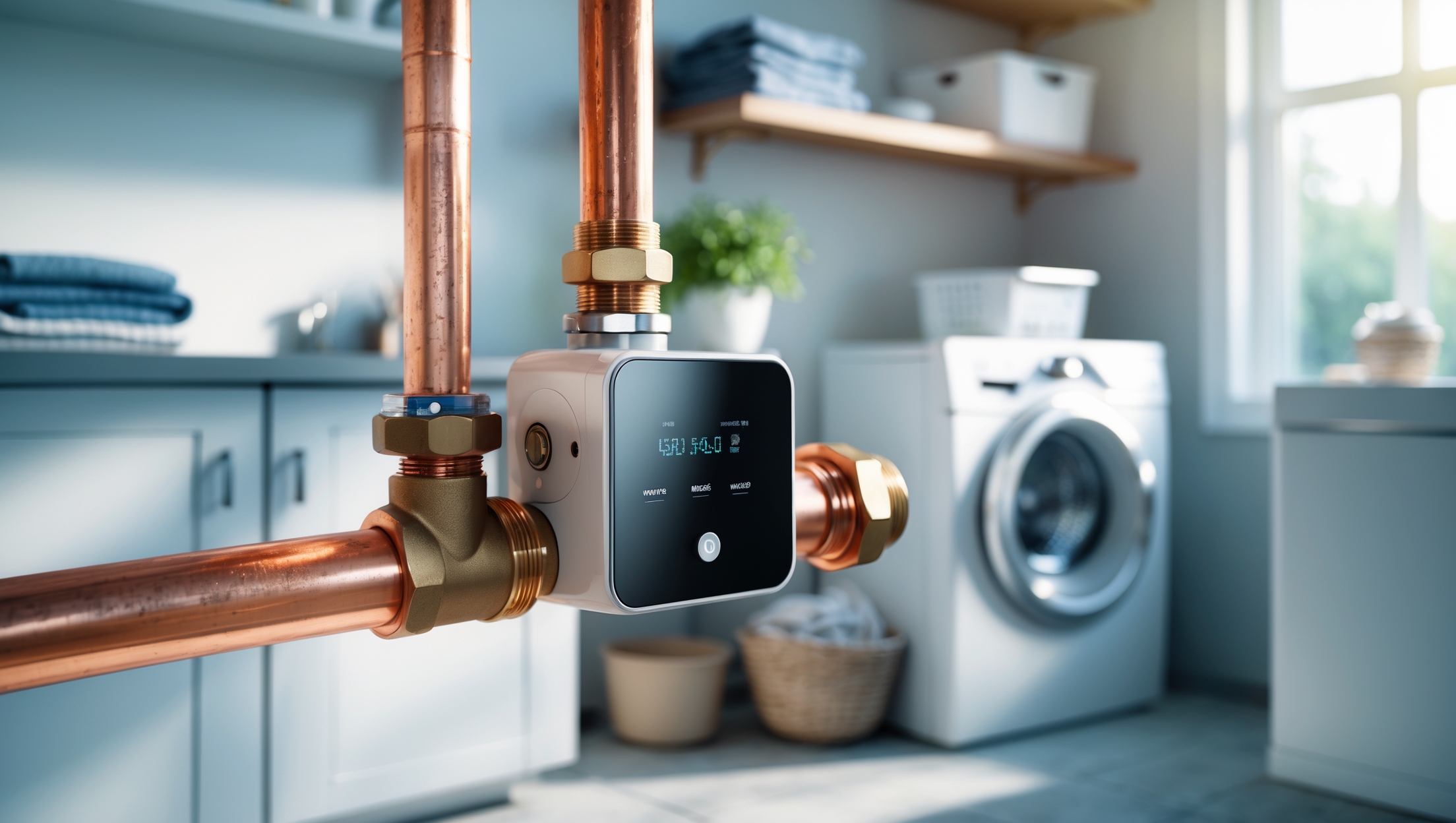
Introduction: Why Smart Water Valve Controllers Are a Game Changer for DIYers
Water leaks are among the most expensive and disruptive issues a homeowner can face. From silent drips under sinks to catastrophic pipe bursts, water damage can lead not only to costly repairs but also to irreplaceable losses. Traditional shutoff valves require immediate manual intervention—a challenge if you’re not home or if the leak goes unnoticed. Enter smart water valve controllers. These devices automatically shut off your home’s water supply when leaks are detected, often integrating seamlessly with sensors and smart home systems. For DIYers, the appeal is clear: proactive protection, peace of mind, and the satisfaction of tackling a high-impact upgrade on your own terms. But with a rapidly growing market, choosing the right valve controller—and understanding its installation, compatibility, and maintenance—can be daunting. This guide compares today’s most DIY-friendly smart water valve controllers, explains how they work, outlines installation steps, and offers practical advice to help you prevent costly water damage, all while staying hands-on and in control.
How Smart Water Valve Controllers Work
Core Functionality and Key Components
Smart water valve controllers are motorized devices that attach to your existing water main shutoff valve or, in some cases, replace it entirely. Connected to Wi-Fi or a smart home hub, they can be activated remotely via app, voice commands, or automatically by leak sensors placed around your home. The core components typically include:
- Motorized Actuator: Turns the valve handle to open or close the water supply.
- Controller Unit: Houses the electronics and connects to your network.
- Sensor Integration: Works with wired or wireless leak sensors to detect water and trigger shutoff.
- Manual Override: Allows manual operation in case of power or network failure.
Types of Smart Valve Controllers
- Add-On Actuators: Clamp onto your existing ball or gate valve—no pipe cutting required. Ideal for most DIYers.
- In-Line Smart Valves: Replace a section of your pipe with a new smart valve. Installation is more involved and may require some plumbing skills.
Benefits of Installing a Smart Water Valve Controller
- Immediate Leak Response: Automatic shutoff limits damage from leaks, even when you’re away.
- Remote Control: Turn your water on or off from anywhere using your smartphone.
- Integration with Smart Home Ecosystem: Connect to Alexa, Google Assistant, or Apple HomeKit for voice and automation triggers.
- Insurance Discounts: Some insurers offer lower premiums for homes with smart leak prevention systems.
- Peace of Mind: Prevents the nightmare of coming home to a flooded basement or ruined flooring.
Key Factors to Consider When Choosing a Device
Compatibility with Your Existing Valve
Before choosing a controller, inspect your main water shutoff valve. Most DIY-friendly actuators are designed for standard 1/2″–1 1/4″ ball valves with a lever handle, but some work with gate valves. Measure the diameter, check clearance around the pipe, and note the valve’s orientation.
Connectivity and Smart Home Integration
- Wi-Fi Only: Easiest to set up but may lose function if your network goes down.
- Zigbee/Z-Wave: Integrates with smart home hubs for more robust automation.
- Voice Assistants: Look for compatibility with Alexa, Google Assistant, or Apple HomeKit.
Power Source
- Plug-In: Reliable but requires an outlet nearby.
- Battery Backup: Ensures operation during power outages—essential for true peace of mind.
Leak Sensor Options
Some controllers include leak sensors; others require you to buy them separately. Consider where leaks are most likely (under sinks, near water heaters, in basements) and count how many sensors you’ll need.
Ease of Installation
Look for clear instructions, video guides, and customer support. DIY-friendly models often use tool-free clamps and minimal wiring.
Top DIY-Friendly Smart Water Valve Controllers Compared
Below is a side-by-side comparison of four popular models favored by DIYers for their ease of installation, reliability, and integration features.
| Model | Valve Compatibility | Power | Sensors Included | Smart Home Integration | Installation | Approx. Price (USD) |
|---|---|---|---|---|---|---|
| Flo by Moen Smart Water Shutoff | In-line (replaces section of pipe) | Plug-in + Battery backup | Optional | Alexa, Google, HomeKit | Moderate (some plumbing required) | $400 |
| Dome Water Main Shut-Off | Ball / Gate (add-on actuator) | Plug-in | No | Z-Wave (SmartThings, Hubitat) | Easy (no pipe cutting) | $120 |
| Ecolink Smart Water Shut-Off Valve | Ball (add-on actuator) | Plug-in | No | Z-Wave | Easy | $180 |
| Phyn Smart Water Assistant + Shutoff | In-line | Plug-in | No | Alexa, Google | Moderate (plumbing required) | $500 |
| YoLink Smart Valve Controller | Ball (add-on actuator) | Plug-in + Long-life battery | Optional | Alexa, Google (via YoLink hub) | Easy | $99 |
Model Highlights and Suitability for DIYers
- Dome & YoLink: Best for hands-off installation. No pipe cutting, tool-free mounting, and integration with popular smart home hubs. Ideal for renters or those wary of plumbing work.
- Flo by Moen & Phyn: Offer advanced leak analytics and in-line water monitoring but require pipe cutting and fitting. Suited for experienced DIYers or as part of a larger plumbing upgrade.
Step-by-Step DIY Installation: Add-On Smart Valve Actuator
For most homeowners, an add-on actuator is the most approachable project. Here’s a practical walkthrough using a typical device like the YoLink or Dome actuator.
Tools and Materials Needed
- Smart valve actuator kit
- Phillips and flathead screwdrivers
- Adjustable wrench (if mounting bracket requires tightening)
- Wi-Fi or Smart Home hub (as required by your device)
- Optional: Leak sensors, zip ties, extension cord
Preparation
- Locate your main water shutoff valve. Ensure you have at least 4 inches of clearance on all sides.
- Test the valve manually to confirm it moves freely. If it’s stuck or overly stiff, lubricate or replace the valve before proceeding.
- Clean the valve and surrounding pipe to ensure the actuator mounts securely.
Installation Steps
- Unbox the smart actuator and review the instructions. Watch the manufacturer’s video guide if available.
- Attach the mounting bracket to the pipe and valve body, ensuring the actuator arm aligns with the valve handle.
- Tighten brackets or clamps. Double-check that the actuator has a full range of motion.
- Connect the actuator to power—plug it in or insert batteries as needed.
- Pair the device with your Wi-Fi network or smart hub. Follow the app prompts to calibrate open/close positions.
- Test the system: Open and close the valve using the app or voice command. Confirm manual override is functional.
- If using leak sensors, place them in high-risk areas and pair them with the controller per instructions.
Troubleshooting Tips
- If the actuator struggles to turn the valve, check for obstructions or excessive valve stiffness.
- Ensure your Wi-Fi signal is strong at the installation site. Consider a mesh extender if needed.
- Label the manual override lever for quick access during power or network outages.
Maintenance and Best Practices
Regular Testing
Test your smart valve and leak sensors monthly. Open and close the valve using both the app and manual controls to ensure smooth operation. Replace batteries in sensors and actuator (if equipped) annually or as indicated by low-battery alerts.
Cleaning and Inspection
- Wipe down the actuator and sensors to prevent dust buildup.
- Inspect for signs of corrosion or leaks at the valve. Address plumbing issues promptly.
Firmware and App Updates
Keep your smart device firmware and app up to date for security, new features, and integration improvements.
Cost Breakdown and Budgeting Tips
The cost of protecting your home with a smart water valve controller varies by system complexity and features. Here’s a typical budget breakdown for a DIY install:
- Smart actuator (add-on): $100–$200
- Leak sensors (per unit): $15–$40
- Wi-Fi or smart hub (if needed): $40–$100
- Tools/materials (if not already owned): $0–$20
For in-line systems, expect $400–$600 plus possible plumbing labor if you’re not comfortable with pipe cutting and fitting. Weigh these costs against potential water damage, which can easily exceed $5,000 for a single incident.
Common Myths and Misconceptions
- “Smart water shutoff is only for tech experts.” Most popular models are designed for typical homeowners and require only basic tools.
- “These devices void home insurance.” On the contrary, many insurers encourage or incentivize their use.
- “Add-on actuators are unreliable.” Today’s models are robust and tested for thousands of cycles—just ensure your valve is in good working order first.
- “You need to remodel your plumbing.” Add-on actuators mount to existing valves with no pipe modifications.
Safety Considerations
- Always turn off your water supply before installing or adjusting the actuator.
- Unplug electrical devices before working in wet areas.
- If you must cut pipe for an in-line valve, follow local plumbing codes and use proper safety gear.
- Keep the actuator’s power cord clear of any potential water leaks.
Real-World Success Stories
Case 1: Quick Response, Major Savings
One DIY homeowner in the Midwest installed a smart valve actuator paired with sensors near their washing machine and water heater. When a hose burst while they were on vacation, the system automatically shut off the main water, limiting damage to a small puddle. Their insurance adjuster estimated savings of over $7,000 in avoided repairs.
Case 2: Integrating with a Whole-Home Smart System
Another user combined a smart water valve with an existing smart home hub, creating automation routines for travel mode, pipe freeze alerts, and even voice-activated water shutoff for emergencies. The family enjoys daily convenience and increased confidence in their home’s resilience.
Conclusion: Protect Your Home the Smart Way—DIY Style
Water damage is one of the most preventable threats to your home’s value and your peace of mind. Smart water valve controllers, once a luxury for tech enthusiasts, are now accessible and practical for DIYers of all skill levels. Whether you choose a simple add-on actuator or invest in an advanced in-line monitoring system, the benefits are clear: instant response to leaks, remote control from anywhere, and seamless integration with the rest of your smart home. With straightforward installation, regular testing, and the right sensors in place, you can dramatically reduce your risk of costly water disasters. Ultimately, the best system is the one you’ll use—and maintain. Take the time to assess your plumbing setup, select a device that fits your needs and budget, and invest a few hours in installation. The result is a safer, smarter home that’s protected even when you’re miles away. Stay proactive, stay hands-on, and enjoy the confidence that comes with true DIY leak prevention.


You mention that many of these smart valve controllers integrate with leak sensors around the house. Have you found the wireless sensors reliable enough, or is there a risk of missing leaks if they lose connection or battery power?
Wireless leak sensors are generally reliable, but there are some risks if they lose connection or if their batteries run low. Most systems will send you alerts if a sensor goes offline or the battery is low, which helps reduce the chance of missing a leak. To improve reliability, keep sensors within range of your network and check their batteries regularly. Some homeowners also prefer a mix of wired and wireless sensors for added peace of mind.
Are there any ongoing maintenance needs for these smart valve controllers, especially concerning the sensor integration part? I’d like to know if I should be budgeting for new batteries or regular servicing to keep the leak detection working reliably.
Yes, most smart water valve controllers require some ongoing maintenance, especially if they use battery-powered leak sensors. You should budget for periodic battery replacements, usually every 1–2 years depending on usage and sensor type. It’s also a good idea to test the sensors occasionally and check for software updates to ensure everything stays responsive and reliable. Regular cleaning of the sensor contacts can help maintain accuracy.
I’m curious about how tricky the installation step really is for a typical DIYer, especially with older existing ball valves. Are there certain smart valve controllers that work better with older plumbing setups, or is replacement usually necessary?
Installation can be a bit more challenging on older ball valves, mainly if there’s corrosion or tight clearances. Some smart valve controllers, like those with adjustable universal clamps or more flexible mounting brackets, tend to work better with older setups. However, if the valve is seized or non-standard, replacement might still be needed. It’s a good idea to check the compatibility recommendations from the manufacturer before purchasing.
Are there any lower-cost smart valve controllers that still offer reliable leak detection and app notifications, or do you generally have to pay a premium to get good sensor integration and remote shutoff features?
You don’t always have to pay a premium for solid leak detection and app notifications. Some lower-cost smart valve controllers focus on the basics and still offer reliable app alerts and remote shutoff. However, advanced sensor integration and compatibility with smart home systems are typically found in mid- to higher-priced models. If you’re open to simple, standalone solutions, budget-friendly options can do the job for basic leak prevention needs.
Could you expand on installation for add-on actuators versus full valve replacements? The guide mentions both options, but are there major differences in terms of time, tools required, or chance of leaks after a DIY install? I want to make sure I pick something manageable for a first-timer.
Add-on actuators are generally easier and quicker to install, especially for first-timers. They typically clamp onto your existing valve, so you just need a screwdriver and maybe a wrench, with no plumbing skills required. Full valve replacements mean shutting off your water, cutting pipe, and using plumbing tools, which takes longer and has a higher risk of leaks if not done carefully. For most DIYers, add-on actuators are much more manageable and pose less risk.
I saw you mentioned both add-on actuators and full valve replacements—does the article compare which type is generally more reliable or easier to maintain over time, especially in older homes with less standard plumbing setups?
The article explains that add-on actuators are often easier to install and maintain, particularly in older homes with non-standard plumbing, since they attach to existing valves without requiring major changes. Full valve replacements can be more reliable long-term but might need professional installation, especially when dealing with older or unique plumbing setups. So, for most older homes, add-on actuators are generally favored for ease of maintenance and compatibility.
When integrating these smart valve controllers with leak sensors around the home, how reliable is the automatic shutoff feature if the Wi-Fi network is spotty or fails during an emergency? Are there models with stronger offline safeguards?
Many smart water valve controllers rely on Wi-Fi for real-time alerts and remote control, but some do offer offline safeguards. Certain models can directly pair with compatible leak sensors using local protocols like Zigbee or Z-Wave, allowing automatic shutoff even if Wi-Fi fails. When choosing a system, look for those supporting direct sensor-to-valve communication or ones that operate via a dedicated hub, which boosts reliability during connectivity issues.
Are there certain types of home water shutoff valves that smart controllers work better with? I have the old-school round handle, not a lever, and want to avoid replacing the whole thing if possible.
Many smart water valve controllers are designed to work with both round handles (wheel style) and lever handles, so you likely won’t need to replace your valve. Look for a controller that specifically states compatibility with round or gate-style valves. Some models use adjustable clamps or mounting brackets to fit various shapes. Just make sure your valve turns smoothly and isn’t stuck, as the smart device will need to physically rotate it.
Can you elaborate on how challenging it is for someone with minimal plumbing experience to install the add-on actuators versus fully replacing the main shutoff valve? Are there particular tools or skills required for each approach?
Installing add-on actuators is generally much easier for someone with minimal plumbing experience. You usually just need a screwdriver or wrench to attach the device to your existing valve—no cutting or pipe work involved. Fully replacing the main shutoff valve is more advanced, often requiring shutting off water, cutting pipes, and using plumbing tools like pipe wrenches or soldering equipment. If you’re not comfortable with those skills, you might want to stick with an actuator or hire a plumber for a full valve replacement.
I’m a first-time DIYer and curious about the installation process for these smart valve controllers. Does attaching the motorized actuator to an existing shutoff valve require any plumbing experience, or can someone with basic tools handle it safely?
Most smart water valve controllers designed for DIYers can be installed with basic tools and don’t require prior plumbing experience. Typically, you’ll need to attach the motorized actuator directly onto your existing shutoff valve, usually with a clamp or bracket. You won’t have to cut pipes or disconnect any plumbing. Just make sure you can access your main shutoff valve and follow the step-by-step instructions provided in the kit for a safe install.
The article mentions both add-on actuators and full valve replacements. For someone in an older home with difficult-to-access plumbing, which type do you find easier for DIY installation and ongoing maintenance?
For older homes with hard-to-reach plumbing, add-on actuators are generally easier for DIY installation and maintenance. They clamp onto your existing valve, so you don’t have to cut pipes or replace the valve itself. This minimizes disruption to your plumbing and is usually less time-consuming. Full valve replacements can be more challenging and may require professional tools or plumbing skills.
Do most DIY-friendly valve controllers require professional help for initial calibration or ongoing maintenance, or can homeowners realistically handle all adjustments themselves? I’m curious whether the maintenance is more complex than the install.
Most DIY-friendly smart water valve controllers are designed so homeowners can handle both installation and basic calibration themselves, typically using a mobile app or simple instructions. Ongoing maintenance usually involves checking batteries or ensuring the device stays connected to Wi-Fi, which is also straightforward. In general, the maintenance is no more complex than the initial setup and rarely requires professional help.
How difficult is the installation process for these add-on actuator types if you have an older, possibly corroded shutoff valve? Are there brands in your comparison that tend to work better with aging plumbing, or is a full valve replacement usually necessary?
Installing add-on actuator controllers on older or corroded shutoff valves can be challenging. Most actuators need a valve that turns smoothly, so corrosion or mineral buildup often prevents proper operation. Some brands in the article, like Guardian and YoLink, are designed to accommodate slightly stiffer valves, but none can reliably handle severely stuck or crumbling valves. In such cases, a full valve replacement is usually recommended before adding any smart controller.
I’m interested in understanding the difference between add-on actuators that attach to my existing shutoff valve versus replacing the whole valve entirely. Can you explain if one option tends to be more reliable or DIY-friendly over the long term, particularly for someone without prior plumbing experience?
Add-on actuators are generally more DIY-friendly, as they clamp onto your existing shutoff valve and require minimal plumbing skills—most people can install them with basic tools. Replacing the entire valve is more involved, often requiring you to cut pipes and deal with potential leaks, so it’s usually best left to a plumber. In terms of long-term reliability, both can work well, but a properly installed replacement valve may last longer since it eliminates moving parts clamped onto old hardware. For beginners, an add-on actuator is typically the safer and easier choice.
How often do the leak sensors that integrate with these valve controllers need to be checked or replaced for reliable performance? I’m trying to figure out the long-term maintenance required beyond the initial installation.
Leak sensors that work with smart water valve controllers generally require minimal maintenance. Most battery-powered sensors need their batteries replaced every 1–3 years, depending on the model and usage. It’s a good idea to test each sensor every few months by triggering it with a small amount of water to ensure it’s still working. Regular checks for corrosion or dust buildup can also help maintain their reliability.
You mention the appeal of integrating with smart home systems—does that mean all these controllers will work with platforms like Alexa or Google Home out of the box, or should I expect to run into compatibility issues depending on the brand?
Not all smart water valve controllers will work seamlessly with Alexa or Google Home right away. Compatibility really depends on the brand and model. Some controllers offer native integration, while others might require extra steps or third-party hubs. It’s a good idea to check each product’s specifications for supported platforms before buying to avoid surprises.
I’m curious about installation—does attaching a smart valve controller to an existing shutoff require shutting off the home’s water supply for a long period, or can most DIYers install these with minimal disruption? Would appreciate any tips on avoiding leaks during the process.
Most smart water valve controllers can be installed by DIYers with minimal disruption. You will need to briefly shut off your home’s main water supply when attaching the device, but the process typically only takes 10–30 minutes if you’re prepared. To avoid leaks, make sure the valve is fully closed before loosening or attaching anything, use Teflon tape on threaded connections, and double-check all fittings before turning the water back on.
Can you break down which smart water valve controllers are best for older homes with older plumbing? I’m worried about compatibility issues since our shutoff valve isn’t exactly new or in the best shape.
For older homes with aging plumbing, smart valve controllers that use a motorized clamp-on design—like the YoLink and Dome models—are generally best. These devices attach over your existing valve handle and physically turn it, so they don’t require replacing your old valve. Just make sure there’s enough space around the valve for installation, and check that the handle operates smoothly. If your valve is stuck or corroded, it’s a good idea to service or replace it before adding any smart controller.
How reliable are the manual override features in most smart water valve controllers if the power or internet go out? I want to make sure that I can still operate my main valve without needing special tools or technical know-how in an emergency.
Most smart water valve controllers include a manual override feature specifically for situations when the power or internet is down. Typically, this means you can turn the valve by hand or with a standard lever built into the device, without needing special tools or any technical skills. It’s always a good idea to check the product specifications or user manual to confirm how the manual override works for each model.
How reliable are the manual override features on these controllers if there’s a power or Wi-Fi outage? Are there brands or models you found to be easier for hands-on emergency control than others?
Manual override features are generally reliable and designed for emergencies like power or Wi-Fi outages. Most smart water valve controllers include a physical lever or dial that lets you open or close the valve by hand. From the models reviewed, the Orbit B-hyve and YoLink stood out for their intuitive manual controls, requiring minimal effort or tools. Some other brands use smaller or harder-to-turn levers, so ease of manual operation can vary. It’s a good idea to test the manual override yourself after installation to make sure you’re comfortable using it.
You mentioned both add-on actuators that attach to existing valves and full replacements. For someone who isn’t sure what type of shutoff valve they currently have, how do you recommend determining compatibility before buying a smart controller?
To determine compatibility, start by locating your main water shutoff valve and taking clear photos of it. Check if it has a lever or a round wheel handle, and note the pipe size and material. Many smart valve controller manufacturers have compatibility guides or ask for photos to confirm if their product will work. If you’re still unsure, a local plumber can quickly identify your valve type and recommend suitable options.
If I install a smart water valve that connects to my Wi-Fi, what happens during a power outage or if my internet goes down? Can the manual override be used easily in those situations, or would I be stuck without water?
During a power outage or internet loss, most smart water valve controllers let you use a manual override—usually a lever or knob—so you can still turn your water on or off by hand. You won’t be stuck without water, but the automatic features like remote control or leak alerts won’t work until power or Wi-Fi is restored.
I’m curious about the manual override feature you described. In the event of a power outage, how easy is it for a DIYer to operate the valve manually, and do all models offer this kind of fail-safe?
Manual override features are common, but not universal, among smart water valve controllers. For most DIY-friendly models, using the override is as simple as turning a lever or knob directly on the device. This lets you open or close the valve even if there’s no power. However, always check the product specs—some budget models may not include a manual override, so it’s best to confirm before you buy.
I’m interested in the sensor integration part. Do these controllers need to be paired with a specific brand’s leak sensors to work best, or are there good universal options if I already have some sensors set up in different rooms?
Most smart water valve controllers work best when paired with their own brand’s leak sensors, as this ensures full compatibility and features like automatic shutoff. However, some controllers are compatible with universal sensors or support integrations via platforms like SmartThings or Home Assistant. If you already have sensors installed, check if your controller supports third-party devices or open protocols such as Zigbee or Z-Wave, which can allow for broader sensor compatibility.
Could you clarify how the manual override works on these smart water valve controllers? If the power or Wi-Fi goes out, do I need to access a specific tool or is it a simple switch to operate the valve manually?
Most smart water valve controllers include a manual override feature that lets you operate the valve without power or Wi-Fi. Typically, this involves a physical lever, knob, or switch on the device itself—no special tools are required. If you lose connectivity, you can simply turn this lever or knob by hand to open or close the valve, ensuring you retain control in emergencies.
Could you explain how to determine if my existing main shutoff valve is compatible with one of these add-on motorized actuators, versus needing a full valve replacement? I want to avoid buying something I can’t install myself.
To check compatibility, first identify the type of main shutoff valve you have—most add-on actuators work with standard ball valves that turn a quarter rotation. Make sure your valve handle is accessible and turns smoothly. If your valve is a gate or globe type, or shows signs of corrosion or leaks, you might need a full replacement. Always measure the handle and check manufacturer specs for size and shape before purchasing an actuator.
Can you clarify how reliable the manual override feature is on these devices if there is a power or Wi-Fi outage? I want to be sure I could still operate the valve in an emergency even if the smart features aren’t working.
The manual override feature on most smart water valve controllers is designed specifically for situations like power or Wi-Fi outages. You can usually operate the valve by physically turning a lever or knob directly on the device, allowing you to open or close the water supply even if the smart features are offline. This ensures you’ll still have control during emergencies.
How difficult is it for someone with basic DIY skills to install a smart water valve controller on an older home where the main shutoff valve might be corroded or hard to reach? Are there specific brands or models better suited for this situation?
Installing a smart water valve controller in an older home can be more challenging if the main shutoff valve is corroded or difficult to access. In these cases, clamp-on or motorized add-on controllers are often easier for DIYers, as they attach without needing to replace the valve itself. Brands like YoLink and Dome make such models, which can fit over existing lever-style valves. However, if the valve is too corroded or doesn’t move easily, you may need a plumber to service or replace it first.
The article talks about sensor integration for automatic shutoff, which sounds really useful. For someone on a tight budget, is there a way to set up a basic system with just the core valve controller first and add sensors later, or do most models require everything upfront?
Many smart water valve controllers allow you to start with just the core valve and add leak sensors later. You can install the main valve to enable remote or manual shutoff, then expand your system when your budget allows by connecting compatible wireless sensors. Just be sure to check if the model you choose supports modular setup and sensor pairing after initial installation.
I noticed the article mentions both add-on actuators that attach to existing valves and ones that completely replace the shutoff valve. For an older home with relatively corroded pipes, is one type safer or more reliable to install as a DIY project?
For an older home with corroded pipes, add-on actuators that attach to your existing shutoff valve are generally safer for DIY installation. They don’t require cutting or replacing pipes, which could disturb corroded plumbing and cause leaks or breakage. Full valve replacements are riskier because removing old valves can sometimes damage fragile pipework. If you have concerns about the pipe condition, sticking with an add-on actuator is typically the more reliable DIY option.
When comparing different DIY-friendly options, are there any maintenance tasks or recurring costs (like battery replacement in sensors) that homeowners should be aware of after installation?
Yes, there are some maintenance tasks and recurring costs to consider with DIY smart water valve controllers. Most systems use battery-powered sensors, so you’ll need to replace batteries periodically—typically once a year, but this can vary depending on the model and usage. It’s also wise to test the sensors and valve operation a few times a year to ensure they’re working correctly. Some systems may require software updates via an app, but these are usually free.
You mentioned add-on actuators versus full valve replacements—are there certain older homes or valve types where one option is much easier or more reliable for DIY installation?
Yes, the age and type of your existing valve matter a lot. Add-on actuators are usually easier for DIY in older homes if you have a standard lever-style ball valve in good condition. If your valve is corroded, stuck, or a gate/needle type, a full valve replacement is often more reliable, though installation is more involved and may need plumbing skills.
Since these devices rely on Wi-Fi or smart home hubs, what happens if there’s a power or internet outage? Does the manual override actually work smoothly in those situations, and is there a risk of not being able to shut off the water in an emergency?
If there’s a power or internet outage, most smart water valve controllers can still be operated manually. The manual override feature is designed specifically so you can turn the valve by hand in emergencies. While the exact mechanism varies, most users report that manual operation is smooth, though it’s good to check before installation. There’s little risk of being unable to shut off water, as long as the manual control is accessible.
Could you explain how the manual override works in case of a power outage? I’m interested in a solution that won’t leave me stuck if there’s an emergency and the smart system isn’t functioning.
Most smart water valve controllers covered in the article include a manual override feature for exactly this situation. If there’s a power outage or the smart system fails, you can typically turn a physical handle or lever on the valve itself to open or close it by hand. This ensures you retain full control over your water supply during emergencies, even without power.
If my main shutoff valve is pretty old and sometimes hard to turn manually, will these motorized actuator add-ons still work, or is it better to completely replace the valve first before installing a smart controller?
If your main shutoff valve is old and difficult to turn, a motorized actuator may struggle or could even fail to operate it reliably. For best results and to avoid damaging either the smart controller or your plumbing, it’s usually a good idea to replace the valve with a new, smooth-operating one before installing a smart water valve controller.
I’m interested in the sensor integration you mentioned. Do these systems typically come with leak sensors included, or do I have to buy those separately? If so, which brands have the best compatibility between sensors and controllers?
Most smart water valve controllers do not come with leak sensors included by default and require you to purchase them separately. However, some brands offer bundles or kits that include both the controller and compatible sensors. In terms of compatibility, brands like LeakSmart, YoLink, and Moen Flo are known for reliable integration between their own controllers and sensors, making setup and operation more seamless if you stick to the same brand.
How reliable is the manual override feature on these smart controllers if the power goes out? I want to make sure I can still access my water supply in an emergency, especially since I live in an area that loses electricity during storms.
Manual override is a common feature on most smart water valve controllers, specifically for situations like power outages. Typically, you can turn a physical lever or knob on the device to open or close the valve by hand. This ensures you can still control your water supply even when electricity is down. Just make sure to check the product you choose has a clearly labeled and easily accessible manual override option.
You mention that some controllers replace the entire shutoff valve while others just clamp on. In terms of long-term reliability and maintenance, is one type generally preferable for DIYers with average skills, or does it really just depend on the home’s plumbing setup?
For most DIYers with average skills, clamp-on controllers tend to be easier to install and maintain since they don’t require removing your existing shutoff valve. They usually work well for long-term use if installed properly. Full valve replacements can offer strong durability but may need professional installation and more maintenance over time. The right choice often comes down to your plumbing’s condition, valve accessibility, and your comfort level with plumbing work.
Could you clarify how the sensors typically connect to the controller unit? Specifically, do most options support both wired and wireless leak sensors, or is that something I’d need to check for each model?
Most smart water valve controllers are designed to work with either wired or wireless leak sensors, but not always both. Some models only support wireless sensors, while others may have ports for wired connections. It’s important to check each product’s specifications to confirm what types of sensors are compatible, especially if you have a preference or existing setup.
When installing an add-on actuator that clamps onto my existing ball valve, how difficult is that process for someone with basic tools? Are there any common mistakes first-time DIYers should watch out for to avoid damaging the valve?
Installing an add-on actuator on a ball valve is usually straightforward if you have basic tools, such as a screwdriver and possibly a wrench. The most common mistake is overtightening the clamp, which can stress or crack the valve body. Also, make sure the actuator is properly aligned with the valve handle so it can operate smoothly. Take your time during positioning and double-check the fit before powering up.
When comparing add-on actuator models versus full replacement smart valve controllers, are there any notable differences in long-term maintenance or reliability that DIYers should consider, especially if they want to avoid frequent troubleshooting?
Add-on actuator models generally mount onto your existing shutoff valve, which means their reliability can depend on the condition and compatibility of your current plumbing. Over time, wear or sediment in older valves might cause issues or require more maintenance. Full replacement controllers typically offer better reliability since they replace the entire valve, reducing moving parts and compatibility issues. For fewer long-term hassles, a full replacement is often the more maintenance-free choice, though installation is more involved.
What kind of ongoing maintenance is required for a smart water valve controller after it’s installed? For example, do you need to test the motorized actuator or update firmware regularly to make sure it will work when a leak actually happens?
Ongoing maintenance for smart water valve controllers usually includes periodically testing the motorized actuator to ensure it still operates the valve smoothly. It’s also wise to check for firmware updates from the manufacturer, as these can improve performance or fix bugs. Additionally, make sure the device’s batteries (if any) are charged or replaced as needed, and confirm that the Wi-Fi or smart home connection is stable. Regular checks every few months are a good practice.
Is there any ongoing maintenance required after installing a smart water valve controller, like recalibrating sensors or testing manual overrides? I want to make sure if I set this up myself, I don’t overlook anything down the line.
After installing a smart water valve controller, ongoing maintenance is minimal but important. It’s a good idea to test the manual override every few months to ensure it’s not stuck and works during power outages. Also, check the sensors periodically for dust or debris and follow the manufacturer’s recommendations for recalibration—some sensors may need annual checks, while others are self-calibrating. Keeping the app and firmware updated will also help maintain performance.
You mention that some controllers work as add-on actuators while others replace the existing main shutoff valve entirely. For older homes with less standard plumbing, is one type generally easier or safer for a DIY install?
For older homes with non-standard plumbing, add-on actuator controllers are usually easier and safer for DIY installation. These devices clamp onto your existing main shutoff valve, so you don’t need to do any pipe cutting or major plumbing work. This approach reduces the risk of leaks or damage, especially if your current plumbing setup is unique or hard to access.
When installing these smart water valve controllers, how challenging is the Wi-Fi setup process if your router is a couple of rooms away from the main shutoff valve? Any recommendations for DIYers facing signal issues or do most people have to add a Wi-Fi extender?
Setting up Wi-Fi for a smart water valve controller can be tricky if your router is far from the shutoff valve, since a weak signal can cause connection problems. Many DIYers do use a Wi-Fi extender or mesh system to improve coverage near the valve. Some controllers also support Zigbee or Z-Wave if you have a compatible hub, which can help with range. Ultimately, adding a Wi-Fi extender is the most common and straightforward solution.
I’m curious if these smart water valve controllers keep working during a power outage or if the manual override is tough to operate in that situation. Does the guide compare how easy it is to use the manual backup on different models?
The article does note that most smart water valve controllers require power to operate automatically, so during a power outage, you’ll need to use the manual override. It also mentions that ease of manual operation can vary between models. Some are designed with simple levers or knobs, while others might be trickier or need tools. The guide gives a brief comparison of manual backups, highlighting which models are more user-friendly in emergencies.
How often do these controllers or the leak sensors need maintenance or battery changes? I’m worried about missing a sensor failure, so do any of these systems offer alerts if a sensor stops working or loses connection?
Most smart water valve controllers and leak sensors need battery changes every 1 to 2 years, depending on usage and model. Some systems will send alerts through their app if a sensor loses connection or has a low battery. It’s a good idea to choose a system that offers these notifications, so you’ll know right away if a sensor stops working or disconnects.
You mentioned both add-on actuators and full valve replacements—what are the main trade-offs between choosing an actuator that attaches to my existing valve versus fully replacing it, particularly in terms of long-term reliability and ease of future maintenance?
An add-on actuator is easier to install since it attaches to your current valve, making it a good option if you want to avoid plumbing work. However, its long-term reliability depends on the condition of your existing valve, so if your valve is old or prone to sticking, it might cause issues. Full valve replacements require more effort upfront but offer better reliability and easier maintenance in the future, since all parts are new and designed to work together for automation.
For someone trying to stick to a budget, are there particular DIY-friendly smart valve controllers that offer reliable performance without requiring a bunch of extra sensors or smart home equipment right away?
Yes, there are a few budget-friendly smart water valve controllers that work well as standalone solutions. Models like the Dome Water Shut-Off Valve and YoLink Smart Valve Controller are popular among DIYers because they attach directly to your existing valve, don’t require extra sensors to operate, and can be controlled via an app. They offer good reliability and can be expanded later if you want to integrate more sensors or smart home automations.
Do these smart water valve controllers work with all types of main shutoff valves, or are there compatibility issues depending on whether you have a ball valve versus a gate valve? I want to make sure I pick something DIY-friendly that actually fits my system.
Smart water valve controllers generally work best with ball valves, since these require just a quarter-turn to open or close, which matches how most controllers operate. Gate valves, which need multiple turns, are usually not compatible with most DIY-friendly models. Before buying, check your main shutoff: if it’s a ball valve, you’ll have a wider choice of compatible controllers. If it’s a gate valve, installation may be more difficult or require a specialized solution.
You mentioned that some controllers attach to existing shutoff valves, while others replace them entirely. Are there benefits or drawbacks to choosing one approach over the other, especially if I want to keep installation as simple as possible and avoid hiring a plumber?
Attaching a controller to your existing shutoff valve is generally simpler and often doesn’t require any plumbing work, making it a good choice if you want easy DIY installation. Replacing the entire shutoff valve usually gives more reliable long-term performance but often requires shutting off your water, removing the old valve, and installing a new one, which might mean hiring a plumber. For simplicity and minimal hassle, add-on controllers are usually the way to go.
Could you elaborate on the manual override feature? I’m wondering how easy it actually is to operate these smart controllers by hand during a power or Wi-Fi outage, especially for less tech-savvy or physically limited users.
Manual override lets you open or close the valve by hand if power or Wi-Fi goes out. Most smart water valve controllers include a physical lever or knob that can be turned without tools. The ease of use varies: some models use large, easy-grip handles suitable for people with limited strength or dexterity, while others require more force or fine movement. If accessibility is a concern, look for controllers with prominent, ergonomic manual controls.
How well do these smart controllers handle power outages? I see there’s a manual override, but does the device lose any settings or connectivity after an outage, or is there backup battery support I should look out for?
Most smart water valve controllers retain their settings and Wi-Fi connectivity after a power outage, so you typically don’t need to reconfigure them. Some models come with built-in backup batteries, which allow the valve to operate and stay connected during short outages. If uninterrupted operation is important, look for a controller with battery backup or integrate an external power supply for added reliability.
The article mentions sensor integration for detecting leaks. Can you give more detail on how easily these wireless leak sensors can be placed in tricky spots like under appliances or behind walls, and if they have a limited range from the controller itself?
Wireless leak sensors are typically compact and battery-powered, making them easy to slip under appliances like washing machines or dishwashers. For harder-to-reach spots, such as behind walls, placement may be challenging unless you have access points, but most sensors are designed to be unobtrusive. Their range varies—most connect reliably within 100-300 feet of the main controller, but thick walls or metal surfaces can reduce that distance, so it’s good to check your home’s layout and, if needed, consider a system with range extenders.
Could you provide some insight into the installation difficulty for someone who has done basic plumbing and smart home projects before? Are there certain controllers that stand out as especially DIY-friendly, or should I expect to run into significant challenges regardless of the model?
If you have basic plumbing and smart home experience, you’ll find most smart water valve controllers quite manageable to install. Some models, like the LeakSmart and YoLink, are known for their clear instructions and clamp-on designs, making them especially DIY-friendly. Hard-wired or retrofit models that require cutting into pipes can be trickier and might need more advanced plumbing skills. Generally, clamp-on or motorized handle controllers are the easiest for DIYers.
You mentioned that some controllers work with both wired and wireless leak sensors. From your experience, is there a noticeable difference in response time or reliability between these types of sensors when triggering a shutoff?
In practical use, wired leak sensors generally have a slightly faster response time and tend to be more reliable, since they’re not affected by wireless interference or battery issues. Wireless sensors offer more flexible placement but can occasionally have brief delays or signal drops, especially if they’re far from the controller or there are obstacles. For critical areas, wired sensors are often recommended, while wireless ones are great for hard-to-reach spots.
What is the typical installation time for a first-time DIYer working with a smart water valve controller, and are there any common mistakes or hiccups during setup that could lead to leaks or malfunction?
For a first-time DIYer, installation of a smart water valve controller usually takes between 45 minutes and 2 hours, depending on your plumbing experience and the complexity of your system. Common mistakes include not fully closing the main water supply before starting, over-tightening fittings (which can cause cracks or leaks), and improper alignment of the controller with the valve. Double-check all connections for snugness, follow the manufacturer’s instructions closely, and test for leaks before restoring full water pressure.
For a typical DIYer trying to avoid expensive plumber visits, how tricky is it to install one of these smart water valve controllers if your main shutoff is in a tight or awkward spot? Any tips or real-world challenges I should know about before attempting it myself?
Installing a smart water valve controller can be manageable for many DIYers, but tight or awkward shutoff locations do add some challenges. You may have limited room to attach the device and use tools, so measuring clearance before purchasing is key. Be ready with a flashlight and possibly a flexible wrench. Sometimes removing insulation or nearby obstacles is necessary. Take your time and turn off your water supply before starting to avoid accidents. If the spot is extremely cramped or corroded, you might still need a plumber’s help.